
Latest Version
Solai Raj (RajSolai)
Design
Linux
Free
com.github.rajsolai.textsnatcher
Report a Problem
More About TextSnatcher
When you need to copy text from images quickly, TextSnatcher OCR tool for Linux offers an incredibly streamlined solution. Developed by Solai Raj (RajSolai), this utility bypasses the tedious task of manually transcribing text from non-selectable sources. Instead of wrestling with PDFs, video subtitles, or locked web pages, you can extract the characters you need in a fraction of a second.
How the TextSnatcher OCR Tool Streamlines Your Workflow
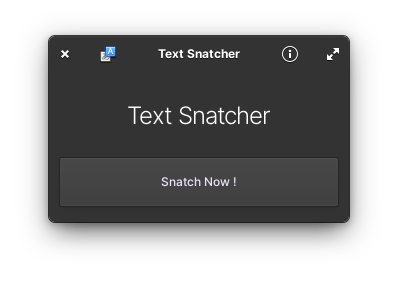
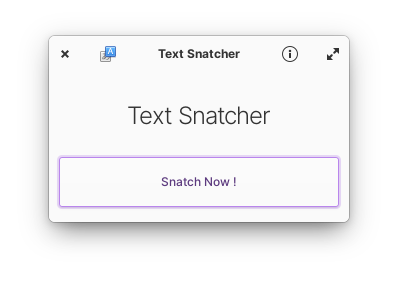
The core philosophy behind this application is speed and simplicity. It operates much like a standard screenshot utility, but instead of saving an image file to your drive, it processes the selected area through an Optical Character Recognition engine and copies the text directly to your clipboard.
Key Features of This Linux OCR Utility
- Drag-to-Snatch Interface: Simply drag a selection box over any on-screen image, document preview, or video frame to instantly capture the text.
- High-Speed Processing: The app performs OCR operations in seconds, ensuring your workflow remains uninterrupted.
- System Integration: Built specifically for the Linux desktop, it fits naturally into modern design environments and system workflows.
Who Is This Application For?
This tool is ideal for developers, researchers, students, and digital designers who frequently work with visual assets. If you often find yourself needing to extract error codes from system screenshots, pull quotes from digital books, or grab text from UI mockups, this utility removes the friction from those daily tasks. Because it focuses on doing one thing exceptionally well, it avoids the bloat of larger document management suites.
Final Verdict: A Must-Have Desktop Companion
For Linux users seeking a no-nonsense approach to text extraction, this tool delivers outstanding utility without any unnecessary complexity. It transforms a multi-step process into a simple drag-and-drop action, making it a highly recommended addition to your productivity toolkit.
To try this utility out on your own system, head over to the official Flathub store page to get started with TextSnatcher.
Rate the App
User Reviews

Popular Apps










Editor's Choice